This update fixes the thing I most needed to fix and adds the thing I most wanted to add.
The fix is the Pokémon GO IV scanner. It was reading some screenshots wrong, and not in a small way. The addition is photo capture: the app can now lift your Pokémon out of your own screenshot and use that image in your collection, which is the feature I wrote about wanting back when I decided to keep official artwork out of the app entirely in the Pokémon fan apps and copyright post.
Everything below is in version 1.1, out now.
The IV Bars Were Being Read in the Wrong Place
The old scanner assumed the three IV bars sat at a fixed position on the screenshot. That assumption was wrong on nearly every screenshot I tested against. Screen sizes, aspect ratios, and the length of a Pokémon’s name all shift where those bars actually land, so the scanner was frequently sampling pixels next to the bars rather than the bars themselves.
Here’s what that looked like in practice. Take a Pokémon you know is a perfect 15/15/15, screenshot the appraisal screen, and scan it on the old build. The app could hand back something like 14/12/5, because it measured the fill at the coordinates where the bars usually sit instead of where they were on your device. Scan the same screenshot now and you get 15/15/15.
The new detector doesn’t guess position at all. It locates each bar visually by its shape and border, then measures how full it is by colour. That removes the whole class of failure where a good Pokémon reads as a bad one.
I’d rather be plain about this than quiet: if you’ve been scanning with this app for a while, some of your saved IVs are probably wrong.
Names and CP
Two smaller reading problems got fixed alongside the bars.
Name matching is now length-aware, so short and punctuated names stop getting rejected or matched to the wrong species. Ho-Oh, Porygon-Z, Mr. Mime, and Type: Null all behave now, as do localized names. The matcher also ignores common on-screen words like type labels and interface text, which used to pull matches toward unrelated strings sitting elsewhere in the screenshot.
CP parsing was hardened against edge cases that previously produced a wrong number or a blank field.
Starting a Scan Without Leaving the App
Scanning used to mean bouncing out to your photo library, scrolling, and coming back. The scan screen now shows a strip of your most recent screenshots as tappable thumbnails, so the catch you took thirty seconds ago is right there. Choose Photo is still available if the one you want has scrolled past.
If a scan fails to read, there’s now a Report Issue button that opens a pre-filled email with your device and app details. Completed scans have a Report Feedback option too, for results that look off but didn’t outright fail. Both of these exist because I can’t fix a misread I never see, and the screenshots that break the scanner are the ones I don’t have.
Your Own Catch Photos
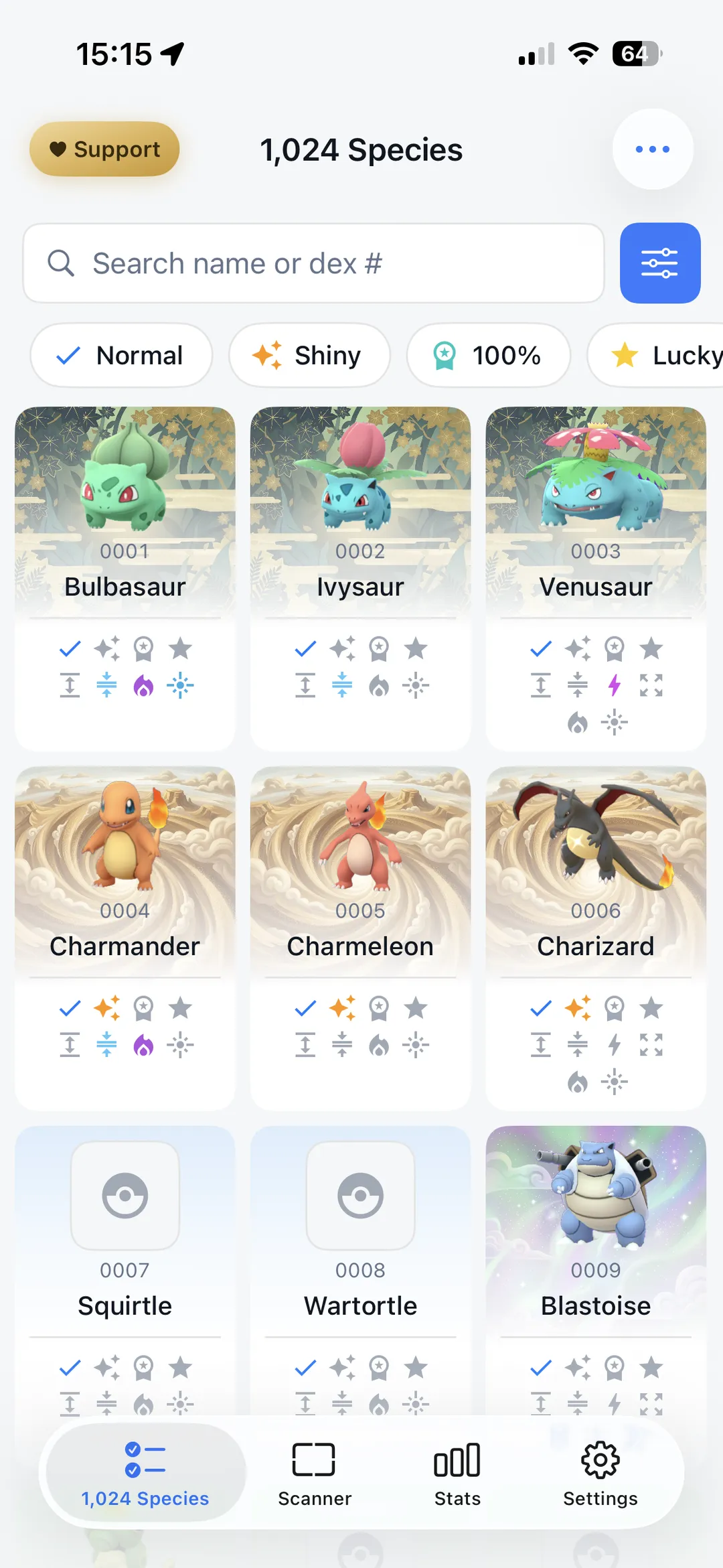
This is the part I’ve wanted for a long time. GoDex ships no official Pokémon artwork, on purpose, so every entry in your collection has been sitting behind a placeholder. Now it can be a photo of the actual Pokémon you caught.
Scan a screenshot and the app lifts the Pokémon off the background automatically and saves the cutout to your collection. Your Pokémon cards, detail pages, and evolution chains use those photos instead of placeholders.
Scanning a catch and lifting it into a photo automatically.
When the automatic cutout isn’t quite right, or you’d rather use a different photo entirely, there are two tools:
- Crop tool. Frame the image yourself.
- Mask editor. Fine-tune the edges of any cutout with an edge-aware brush that won’t bleed onto the background, plus undo, redo, and a live preview.
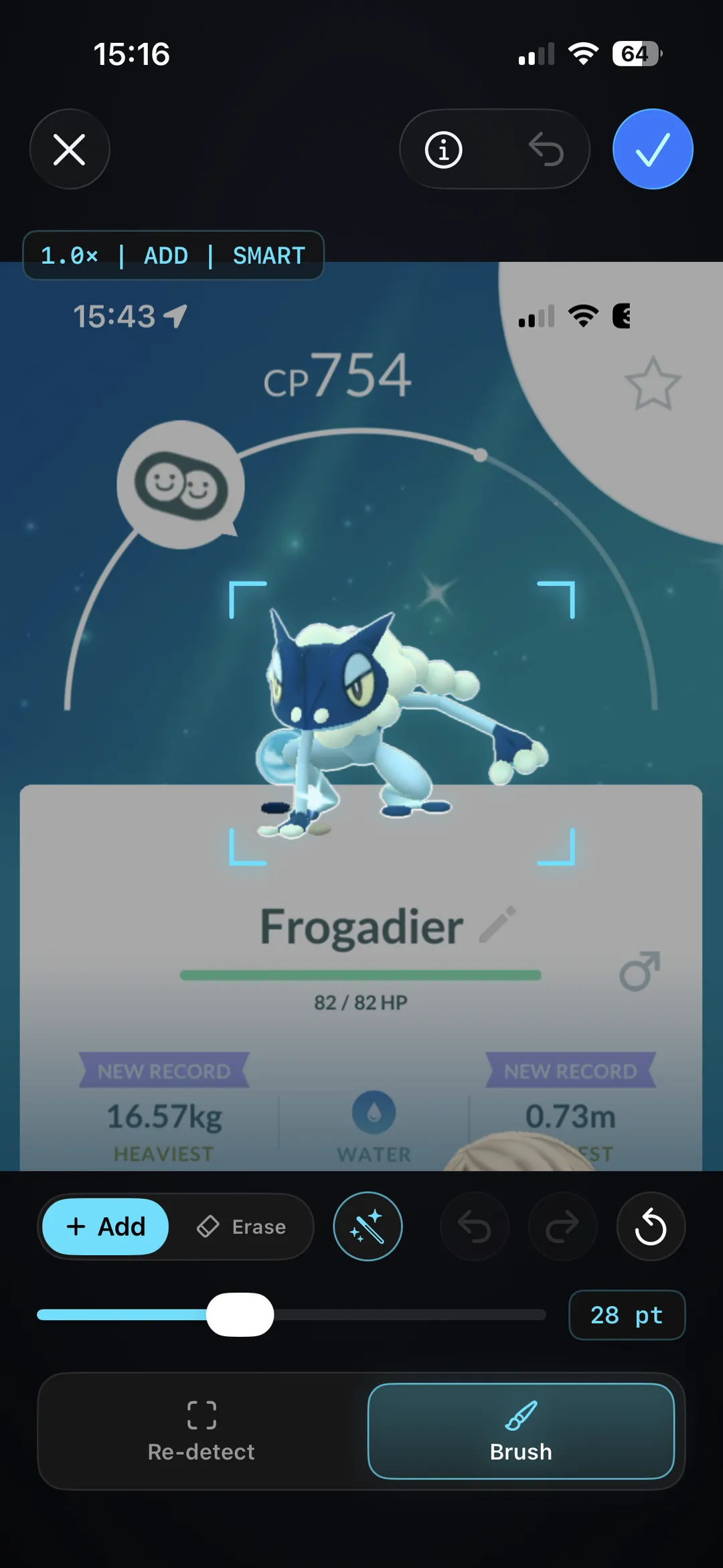
You can also pick a decorative background for each photo from a small gallery, which gives a cutout somewhere to sit.
Those backgrounds are AI-generated rather than drawn, and I’d rather say that here than have you work it out later. The reasoning: the app ships no official artwork by design, so a cutout with nothing behind it looks unfinished, and commissioning a set wasn’t in reach for a one-person project. They’re deliberately abstract so your photo stays the subject. If that’s not for you, leave the background off. It’s optional and the default is none.
The result is the living dex I described in the copyright post: entries that are yours rather than the same sprite every other app shows. The first-run walkthrough has been updated to introduce this, so new users find it without hunting.
Fixes and Polish
- Switching between a Pokémon’s forms while typing IVs or CP no longer wipes what you’d entered.
- Android’s Top 50 IV rank list now matches iOS, including colour-coded quality tiers.
- Typography and readability improvements across stats screens, rank lists, and Pokémon cards on Android.
- Backup restore is safer. A failed or interrupted restore can no longer leave your collection in a broken state.
- Translation updates for German, Spanish, French, Italian, Japanese, and Korean.
What to Do After Updating
Two things are worth doing once you’re on the new version.
Rescan anything you scanned before this update, starting with the ones you rated poorly. The old position-guessing bug pushed IVs down more often than up, so if you have a Pokémon logged at something like 14/12/5 and you kept it anyway, it’s worth a second look before you transfer it. Rescan your league contenders first, since a bad third IV reading is exactly what moves a Pokémon in or out of Great League range.
Rescan the ones with awkward names. If Ho-Oh, Porygon-Z, Mr. Mime, or Type: Null came through as the wrong species or wouldn’t scan at all, they should work now.
And if a scan still comes back wrong, use Report Issue. That’s the whole reason the button exists.
Key Takeaways
- IV scans are more accurate. The scanner finds the bars by shape rather than assuming their position, which fixes perfect Pokémon reading as mediocre ones.
- Rescan your old entries, especially anything you logged with low IVs or an odd name.
- Scanning starts faster from the recent screenshots strip on the scan screen.
- Your collection can show your own catch photos now, with a crop tool and a mask editor for the cutouts that need help.
- Report a bad scan when you see one. Misreads I can reproduce are misreads I can fix.
The update is live now. If you’ve been putting off cleaning up your collection, this is a good week for it.

We do our best to keep these guides accurate, but Pokémon GO mechanics change often. If you spot a mistake or something that's out of date, please send us feedback — we'll fix it.

About GoDex
A free companion app for tracking your collection, scanning IVs from screenshots, and checking PVP rankings. Available on iOS and Android.

